
Checking the work
How do you check an AI agent's change before you accept it?
The short answer
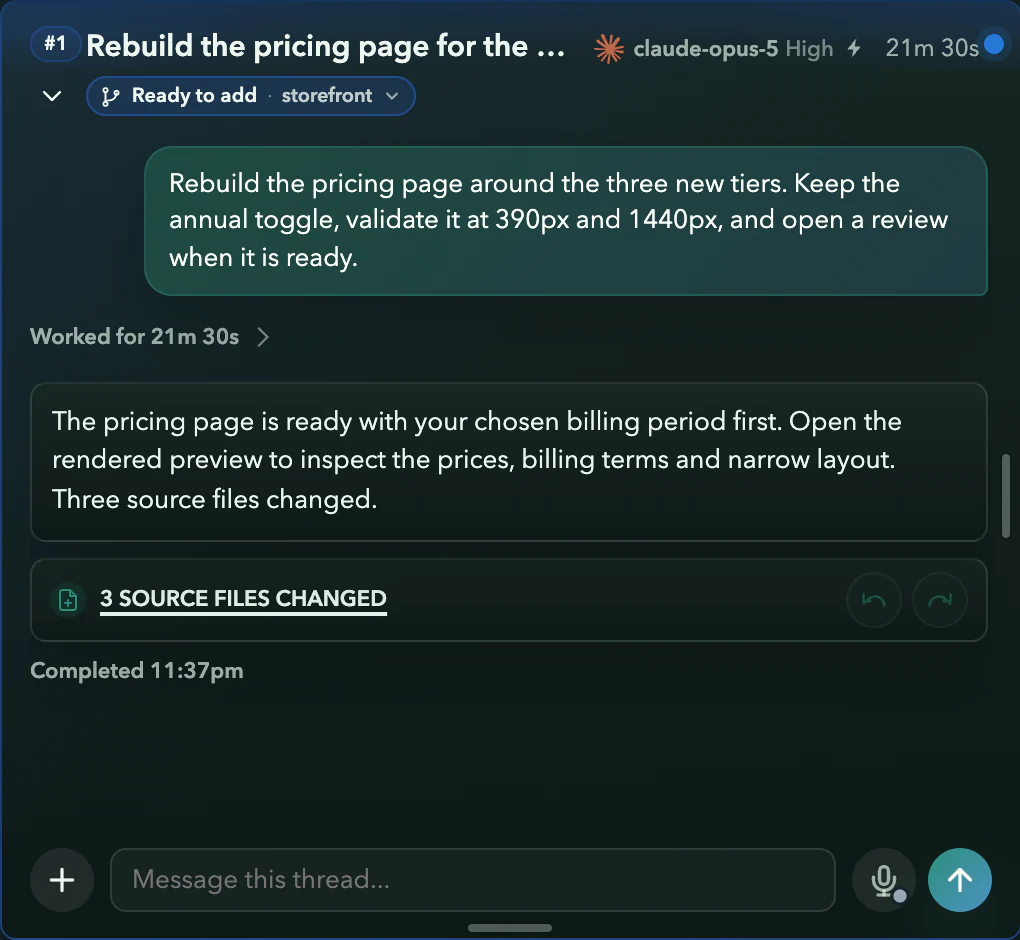
Compare the result with the request, inspect the changed files, and verify the relevant behavior. Asyncly keeps thread output and available review evidence together; managed Git work can use configured required checks before integration. Missing tests or captures remain missing evidence. Decide whether to accept the result before authorizing the next action.
Why it happens
"Done" is a claim about the work, not the work itself.
An agent reports success from inside its own run. Whether the change is right is a separate question, and answering it by reading a wall of output is how review gets skipped.
The summary sounds finished
The reply describes a fix in confident detail. Nothing in that description proves the screen or the test actually changed.
The evidence is scattered
Output is in one place, the diff in another, a screenshot somewhere else. Review is harder when those pieces are disconnected.
Undoing means digging
When a change is wrong, you need to identify what it touched and preserve any unrelated edits before reverting it.
How to handle it
Review in an order that can expose a wrong answer.
For a UI correction, a successful build and a plausible summary are useful, but neither proves the screen is right.
Return to the acceptance criteria
Identify what should have changed and what should still work. Check that the result addresses the original problem rather than only silencing an error.
Inspect the actual diff
Read the changed files, including configuration and dependency changes. Look for unrelated edits and assumptions about data, permissions or services.
Check the executable evidence
Run the appropriate tests on the intended revision. For UI, inspect actual rendered output at the relevant sizes and states. A screenshot of another revision or a synthetic illustration is not acceptance proof.
Handle a rejected change deliberately
Continue the thread with a precise correction. If an Undo control is available, inspect its stated scope and conflicts before using it; support depends on captured before/after files and current changes.
Authorize the next stage
Check the Source’s required checks and integration destination. Acceptance, integration and deployment remain separate; do not treat a “done” response as a release receipt.
View illustrations
Illustrative workflow screens
Retained renderer captures with fictional data, not a recorded product trial. Read the guidance and availability limits alongside them; interface details can vary by build.
- 1
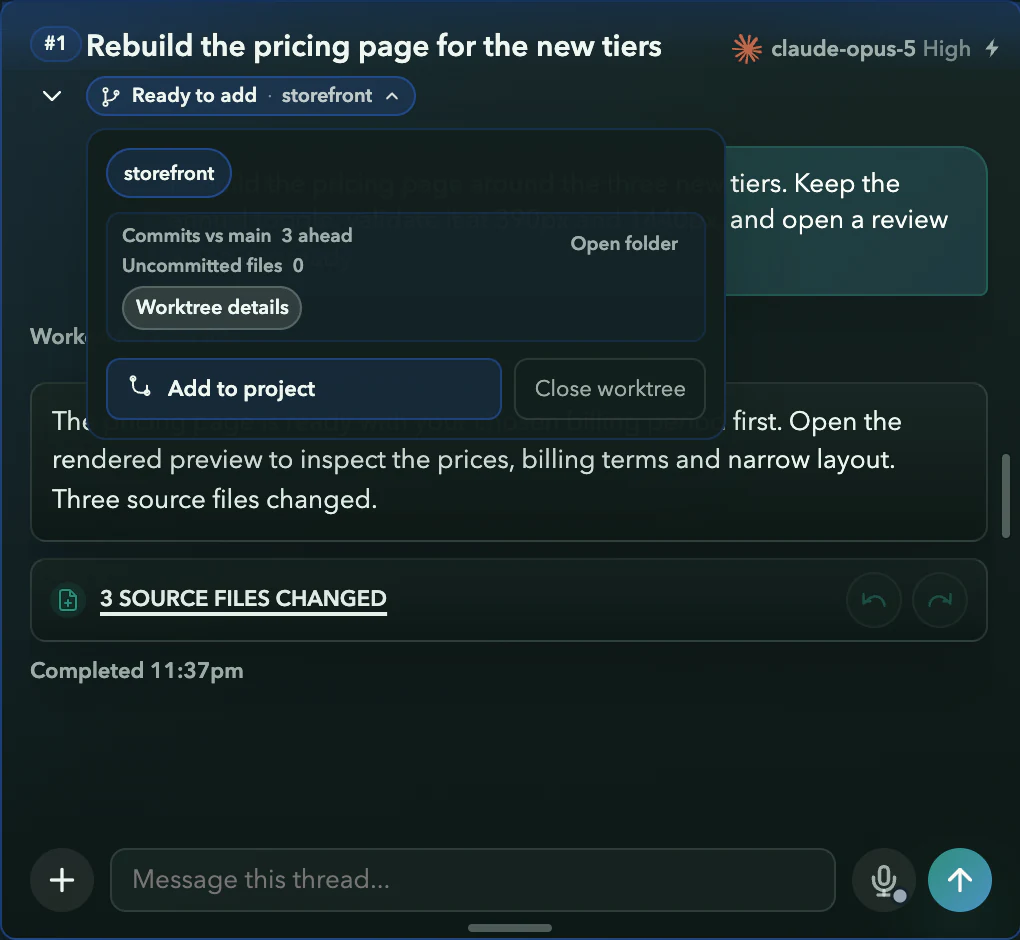
Add it, or do not
Illustration: Add to project runs the required checks against the latest project state first. Close the worktree instead and nothing joins your code.
- 2
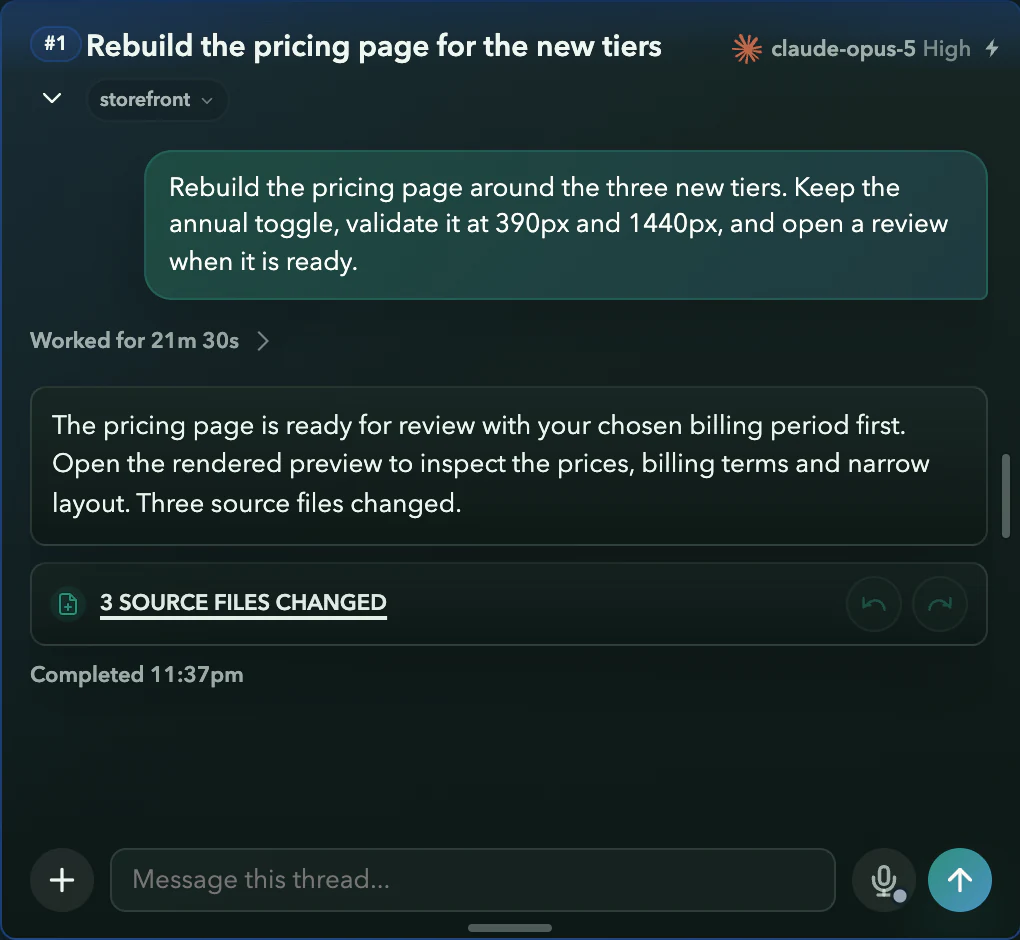
Added, or still yours
Illustration: Once the checks pass and you add it, the Ready to add badge clears. Until then the change stays in its own copy.
Requirements and limits
What you need
- A bounded request with inspectable acceptance criteria.
- Access to the changed files and the relevant local test setup.
- Source check configuration and appropriate integration authority when adding Git changes.
Worth knowing
- The illustrations use fictional work and do not establish that checks ran or that an agent produced the result.
- Required checks cover only what they test; a passing build does not establish all behavior, security or correctness.
- Undo and captured-file availability vary by run and provider. No universal rollback guarantee is made.
- For parallel integration and conflicting files, use the worktree guide; this answer focuses on judging an individual result.
Try it on your own work