Repositories keep their own operating rules.
Paths, aliases, provider preferences, and safety policy stay with the workspace they describe.
AI coding agent workspace manager
Asyncly gives Codex and Claude work a shared operating layer on your computer. Repositories stay separate, threads stay visible, and review stays tied to the task that produced it.
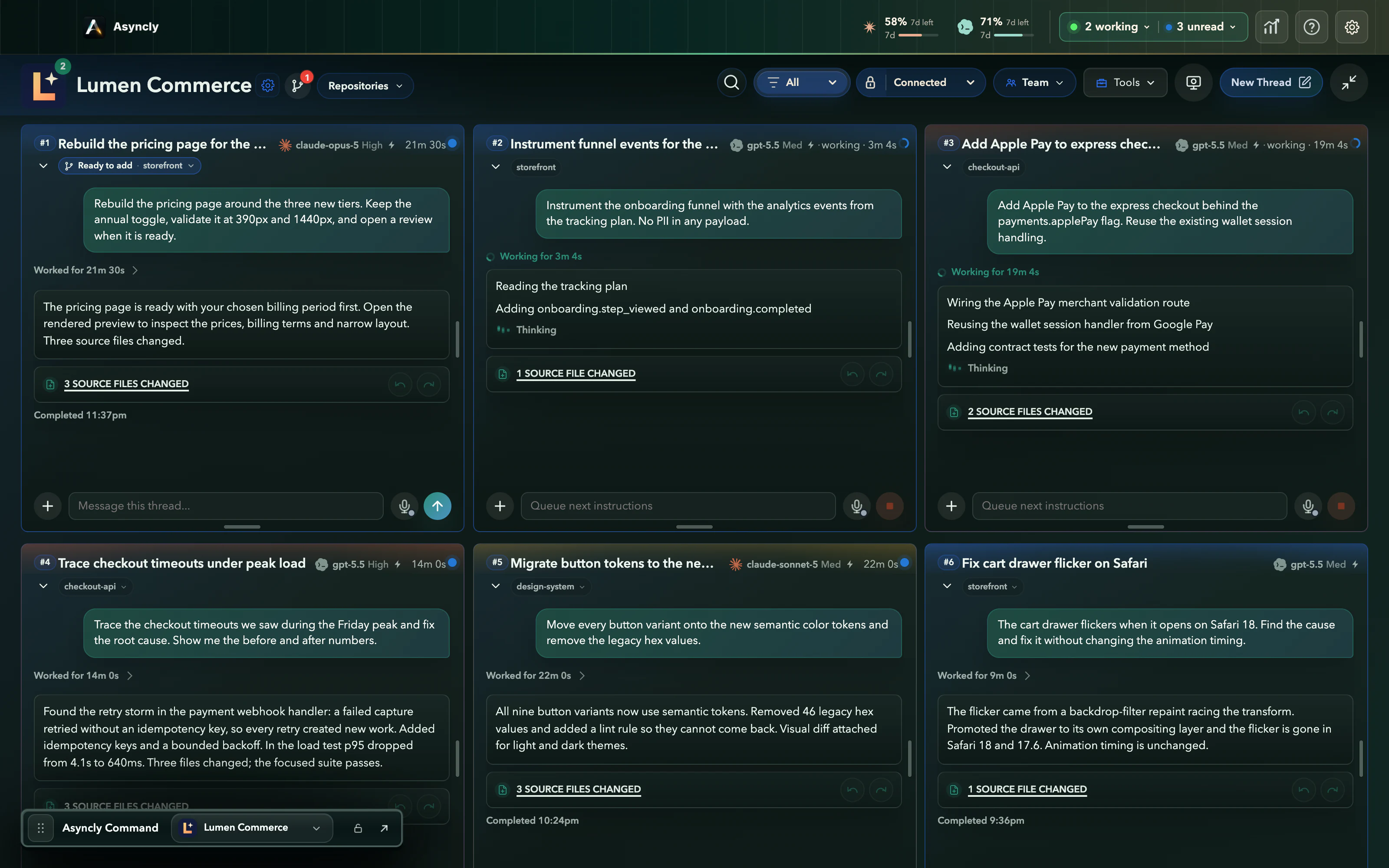
The work stays explainable
A terminal can run one task. Asyncly keeps the repository, thread, state, and review path visible when several tasks are moving at once.
Paths, aliases, provider preferences, and safety policy stay with the workspace they describe.
Status and final answers stay organized by workspace instead of disappearing into separate sessions.
Review what changed, inspect captured UI state, and continue from the same thread when more work is needed.
How Asyncly works
Asyncly sits above the coding agents you already use. It helps you direct the work and understand its state without replacing the provider or repository.
Give a local repository its own name, aliases, dev port, provider preference, and safety policy. Asyncly keeps those boundaries visible when work starts.
Type or speak the task. Asyncly uses the selected workspace and thread so the agent starts with the intended repository instead of a generic terminal session.
Running, blocked, needs-review, and completed threads stay visible across workspaces in one command center.
Changed files, final answers, visual context, and follow-up work remain attached to the thread that produced them.
Choose your agent
Each provider has its own account and terms. Asyncly gives their local work the same workspace and review model.
Connect the local Codex CLI, route tasks by workspace, and keep the result attached to its thread.
Explore the Codex workflowClaudeUse the same workspace, status, and review surfaces for Claude tasks inside Asyncly.
Explore the Claude workflowStart with your existing tools