
Keep your existing Codex setup.
Asyncly detects the local Codex CLI and uses the provider authentication already configured on your computer.
Codex agent supervisor
Asyncly connects to your local Codex CLI and uses your existing provider authentication. It adds workspace routing, thread visibility, and a local review path around the Codex work you already run.
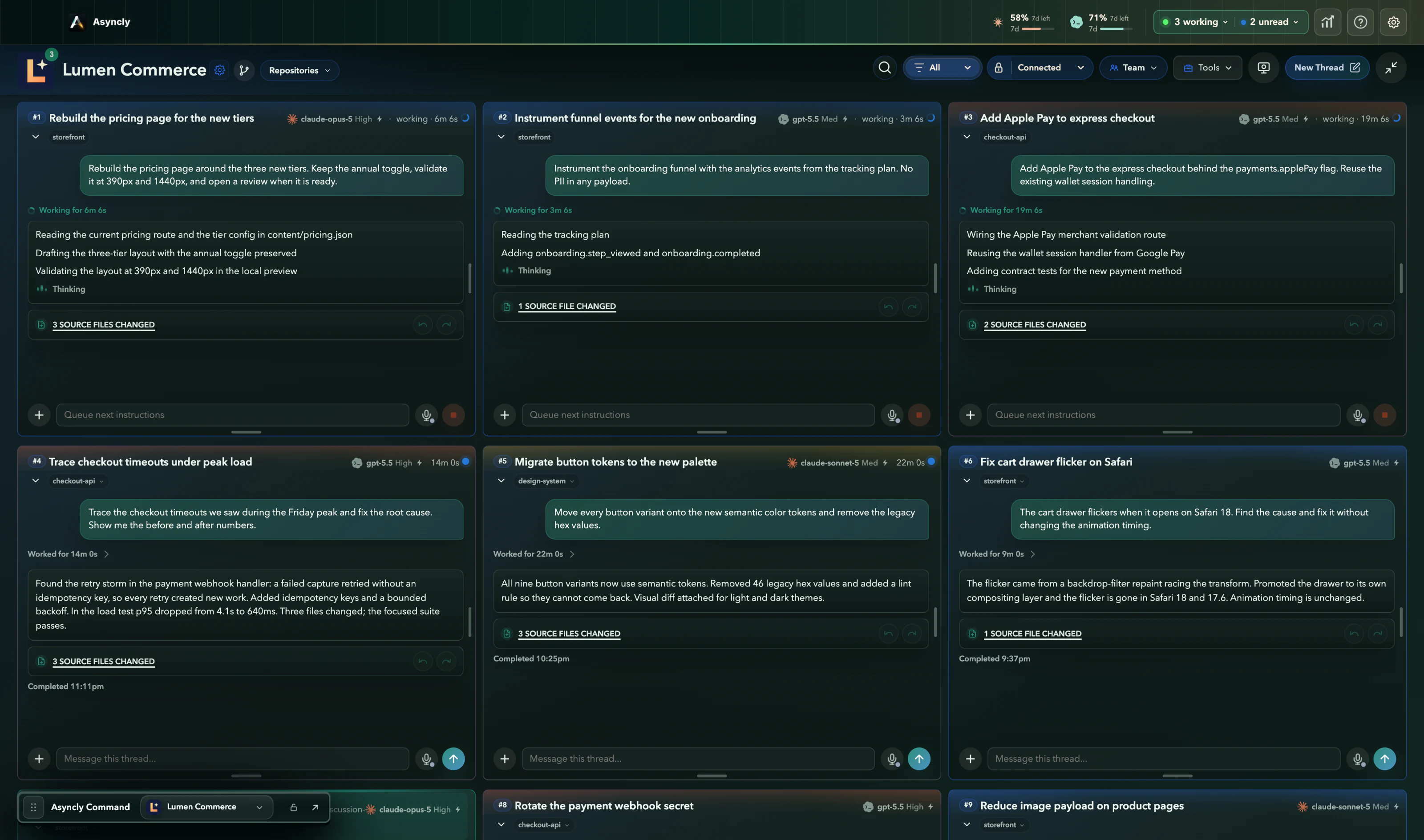
More than one Codex session
When Codex is working across several repositories, session output alone does not show the whole operating picture. Asyncly keeps the workspace and review state beside the thread.
Asyncly detects the local Codex CLI and uses the provider authentication already configured on your computer.
Workspace paths and aliases help keep the request connected to the repository it is meant to change.
Thread status, final answers, changed files, and visual context remain available for review and follow-up.
Codex workflow
Asyncly does not include Codex usage or replace your provider account. It supervises work that runs through the Codex access configured on your computer.
Asyncly checks whether the Codex CLI is available and explains when local setup is missing.
Each workspace keeps its local path, aliases, provider preference, and safety policy.
Start from an existing thread or create a new one inside the selected workspace.
Use the thread state, changed-file summary, and available visual context to decide the next step.
Use your own Codex account