
Parallel coding work
How do you keep parallel coding agents from colliding?
The short answer
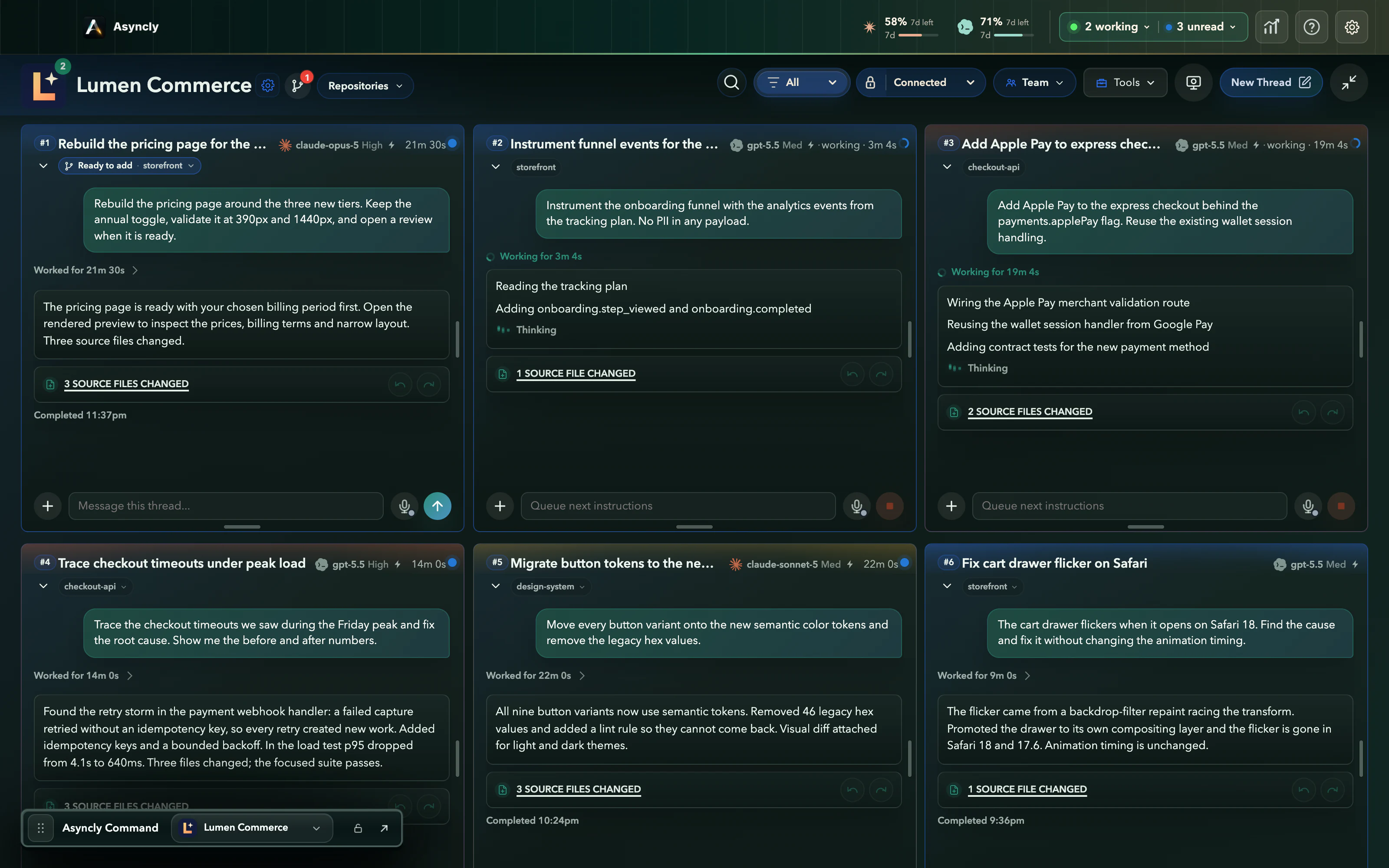
Give each task its own copy of the code. Asyncly can run a coding task in a managed worktree: a separate checkout on its own branch, so one agent's edits never land in another agent's files while they work. A finished task waits as Ready to add. You review it and choose Add to project. If its checks fail or the change conflicts, it is marked for your attention instead of being added.
Why it happens
One checkout, many writers.
Coding agents are fast enough to run side by side. In a single working copy, that speed turns into agents editing the same files underneath each other.
Edits land on top of each other
Two agents in one checkout change the same files. Each sees tests fail for reasons it did not cause, and both spend time chasing the other's work.
Unfinished work travels together
When changes share a branch, you cannot review or ship one of them without the rest coming along.
Bringing work in becomes a chore
Someone has to notice a task is done, check it and merge it without disturbing the work that is still running.
How to handle it
Separate while they work. Deliberate when they join.
Worktrees are a per-repository setting. With a separate worktree for agent changes, every coding task gets its own branch and working copy, and the thread shows where its work stands.
Start coding tasks in their own worktrees
Asyncly prepares a managed worktree for the task: its own checkout of the repository on its own branch. The agent edits there while the thread shows it working.
Labels in the app: Create a separate worktree for agent changes
Let tasks run side by side
Other tasks keep working in their own worktrees. Their changes stay out of each other's way until you decide to bring one in.
Labels in the app: Working
Review a task when it is ready
A finished task shows Ready to add with its check results. Open its summary to see the commits ahead of main and any uncommitted files before you decide.
Labels in the app: Ready to addChecks passed
Add it to the project
Choose Add to project. The change joins your project and the task's worktree badge clears, while the other tasks continue on their own branches.
Labels in the app: Add to project
Use pull requests when checks run on GitHub
For a repository whose checks run in GitHub CI, a ready task pushes a pull request instead. Asyncly shows its number and state, and the merge happens on GitHub.
Labels in the app: Push for CIOpen PR
See it happen
Ready, reviewed, added. The rest keep working.
Three moments from the same pricing task. The captures come from the Asyncly renderer with fictional work; this website does not merge code.
- 1
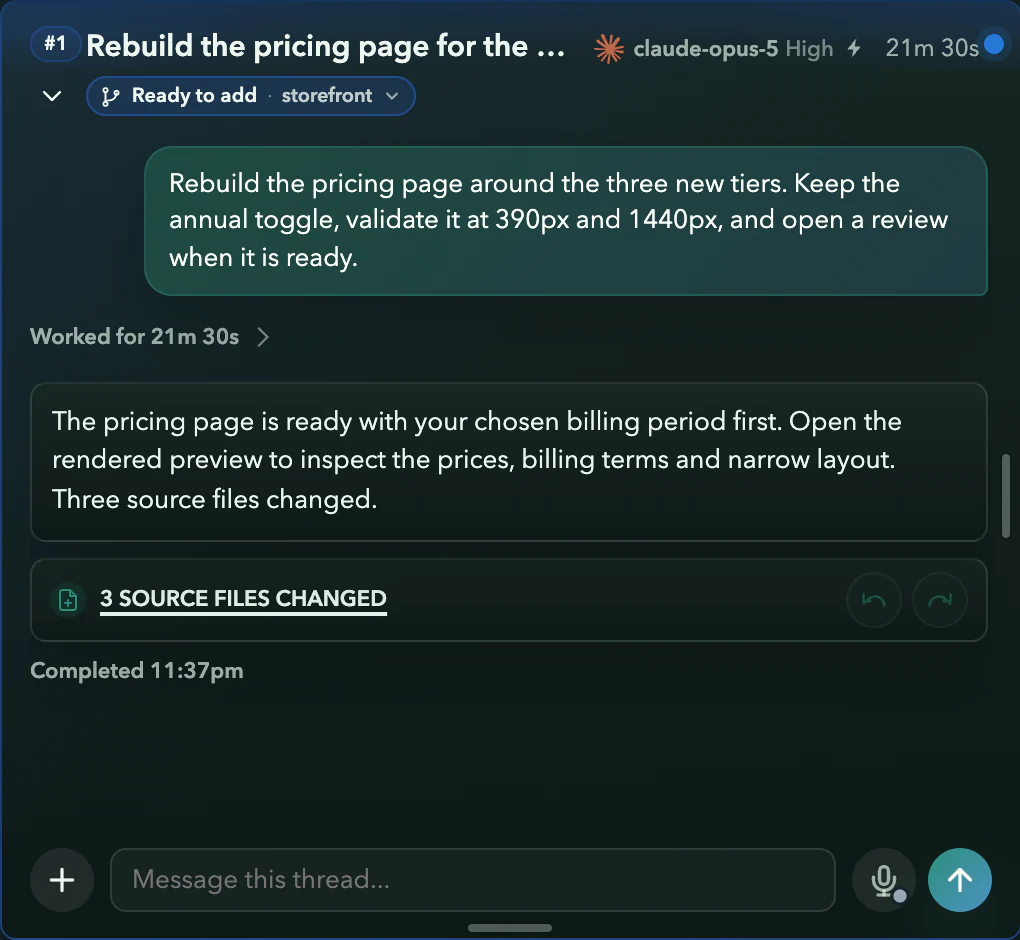
Ready to add
The pricing task finished on its own branch. Its thread shows Ready to add while the other tasks keep working.
- 2
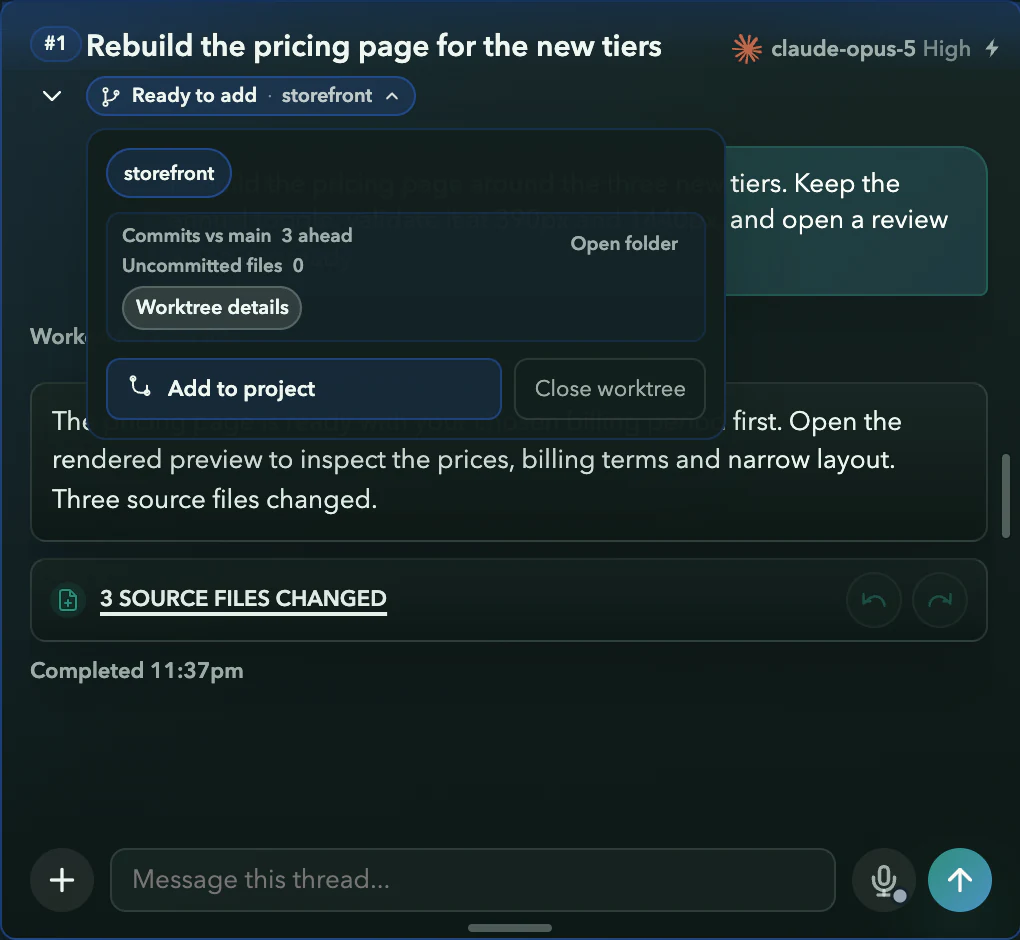
You review
The summary shows three commits ahead of main and no uncommitted files, with Add to project beside it.
- 3
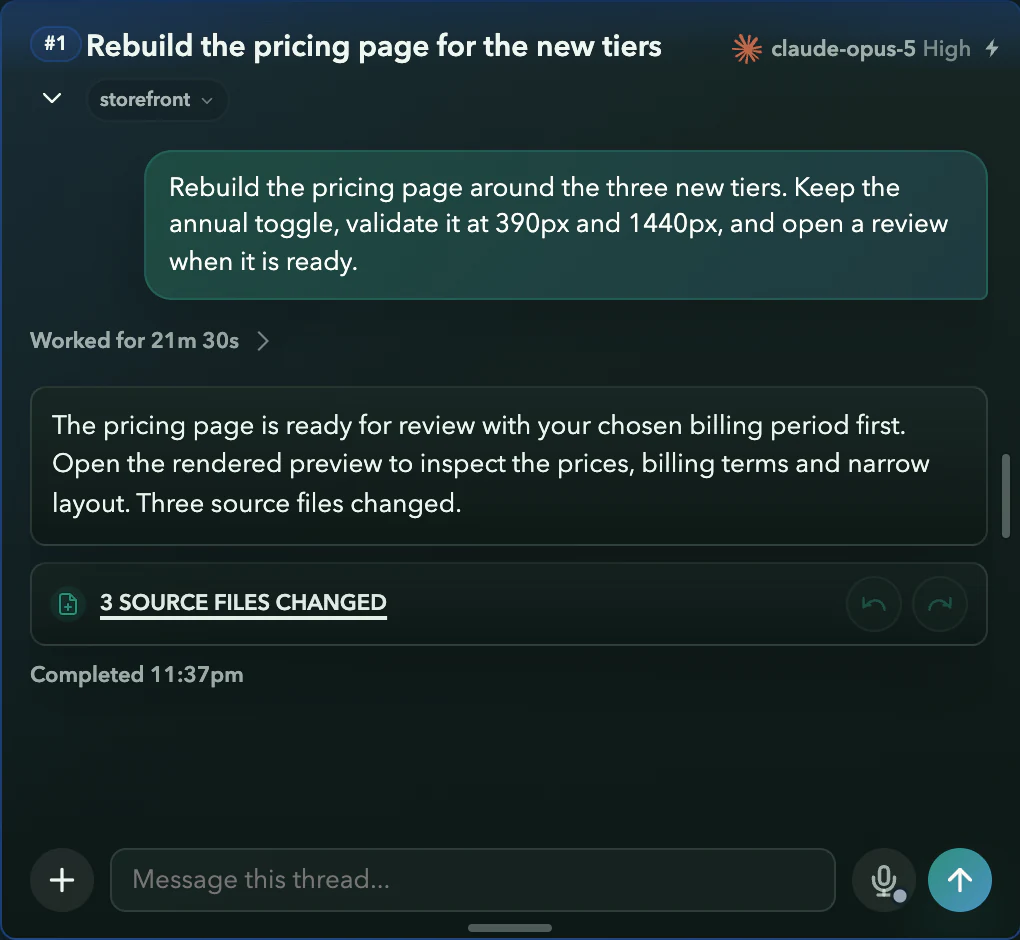
Added
The change is in the project and the Ready to add badge has cleared. The other tasks keep working on their own branches.
Requirements and limits
What you need
- A Git repository added to a Project in Asyncly.
- The repository set to create a separate worktree for agent changes.
- For pull requests: a repository whose checks run in GitHub CI.
Worth knowing
- Worktrees keep changes apart while tasks run. They do not make two edits to the same lines compatible: a conflicting change is marked for attention and is not added until the conflict is resolved.
- Adding is always your decision. Asyncly does not add work to your project on its own.
- A repository set to use its current checkout runs agents there, without this separation.
Try it on your own work