Supervising agent work
Which of your agents actually needs you right now?
The short answer
Usually only a few: the ones waiting on a decision, the ones that failed, and the ones with finished work you have not reviewed. In Asyncly's Attention view, running threads stay in the background while those threads come forward into two, three or four foreground places. You answer or review in place, and the work continues.
Why it happens
Activity is not the same as need.
Capable agents run for minutes at a time, several at once. The hard part is no longer starting work. It is knowing which of it is waiting on you.
Every thread looks busy
A list of terminals or chats shows activity, not need. You end up opening each session to learn that most of them are fine.
Questions wait silently
An agent that stops to ask which option you prefer does nothing until someone notices. Parallel work quietly becomes idle time.
Interruptions cost your place
An alert that replaces what you were reading makes you find your place again, and the next one does it twice.
How to handle it
Let the work that needs you come forward.
Attention is a view of your Project, not a new place for work to live. It changes what is in front of you, never a thread's status or where its work is routed.
Open the Project in Attention
Switch the Project's view to Attention. Every thread keeps a place in the field at the back, and running work stays there.
Labels in the app: Attention
Choose how many can come forward
Pick two, three or four foreground places. Threads waiting on input or that failed come first, then finished work you have not reviewed.
Labels in the app: 234
Answer where the question appears
A thread waiting on you arrives in a free place with its question and options. Choose, then submit. A new arrival only takes a free place, so it never replaces a thread you are reading or answering.
Labels in the app: Submit answers
Review the result, then send it back
When the work finishes, its result is ready in the same card. Once you have reviewed it, put it back into the background and the place is free for whatever needs you next. Bring any thread forward again by selecting it in the field.
Labels in the app: Put back into background
See it happen
From working, to a question, to a result.
Three moments from the same Project. The captures come from the Asyncly renderer with fictional work; no agents ran to produce them.
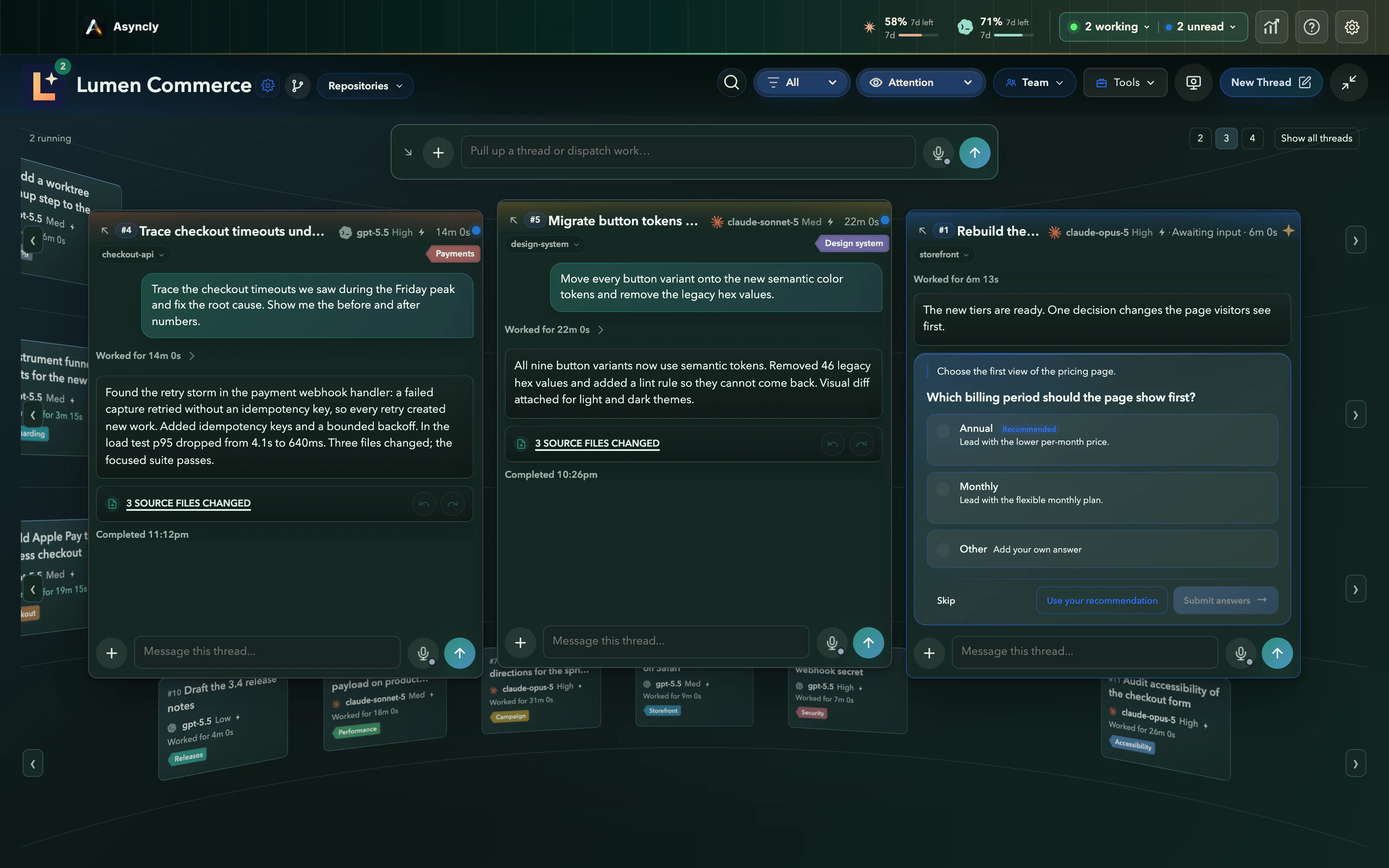
- 1
Work is moving
Running threads recede into the field. Two finished threads hold the foreground; one place is free.
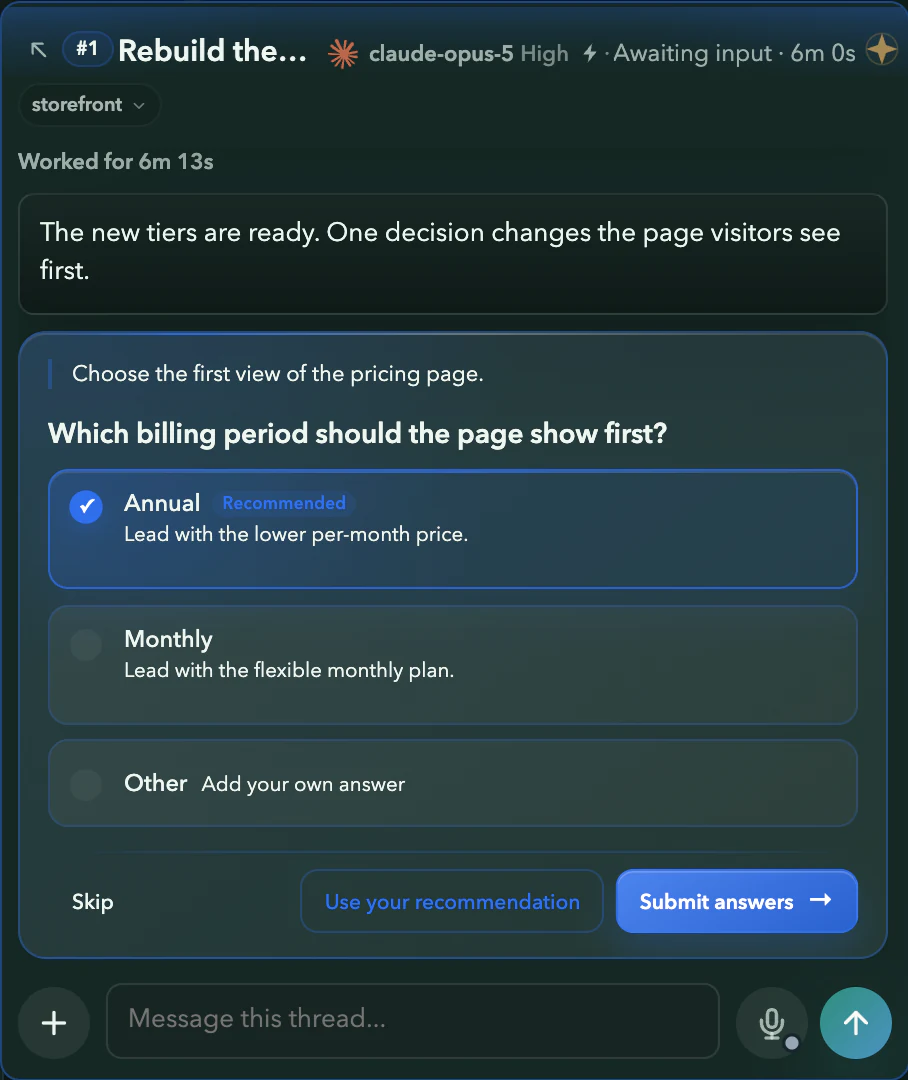
- 2
You decide
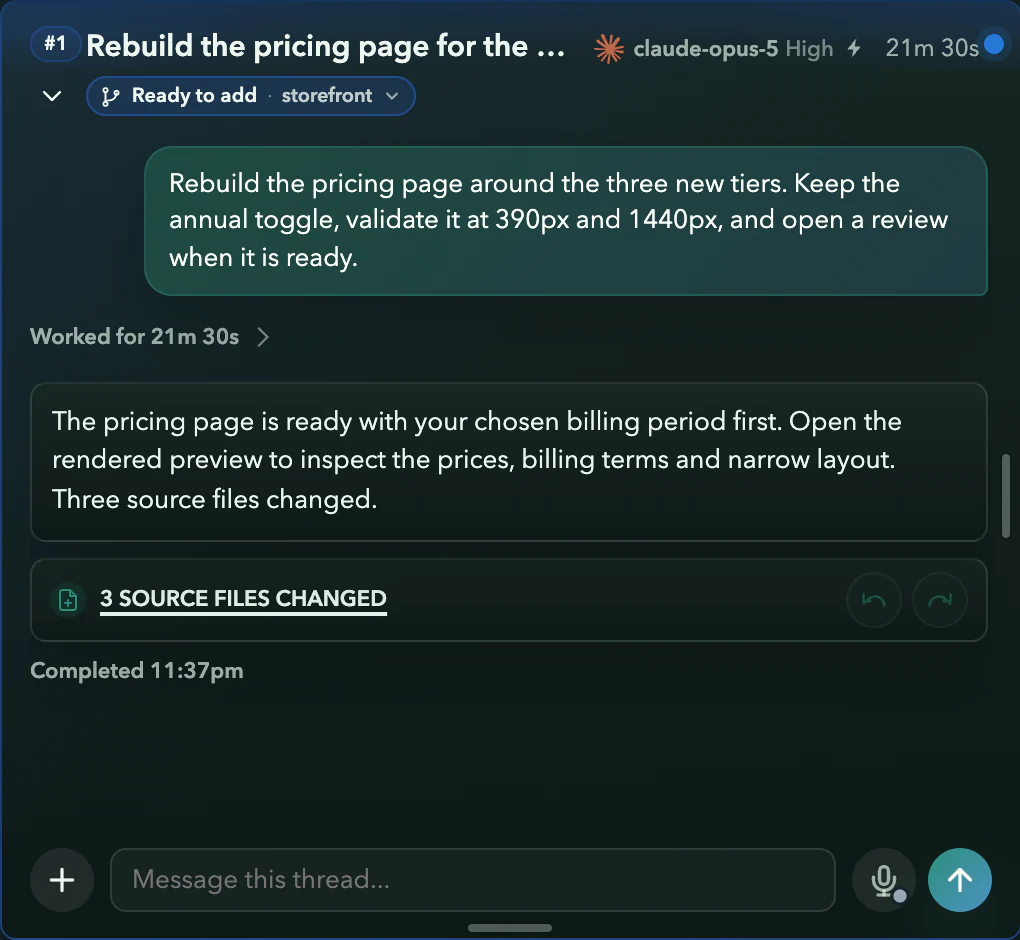
The pricing thread asks which billing period the page should show first. Annual is chosen, ready to submit.
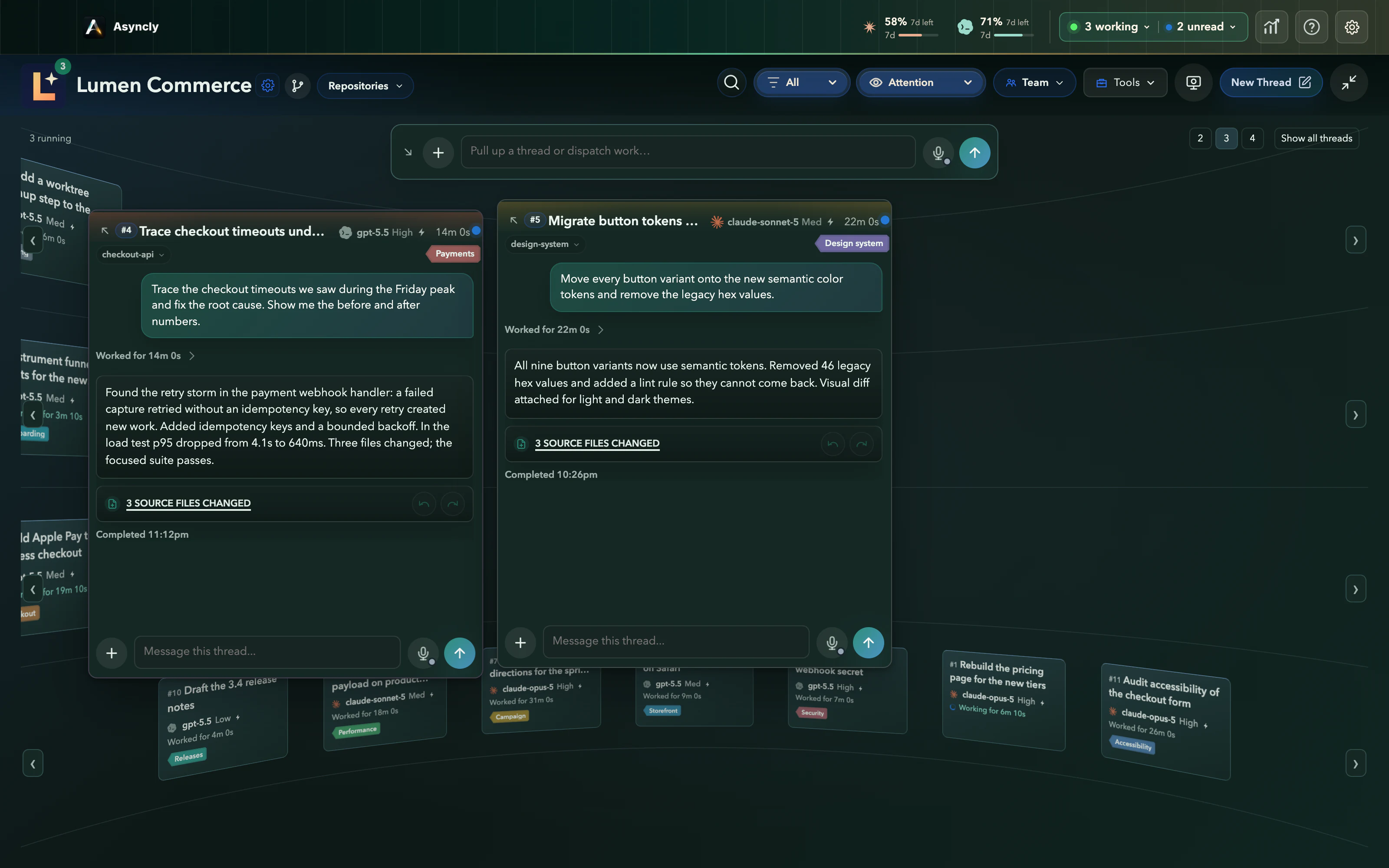
- 3
The work continues
The thread resumes with your answer and returns a pricing page, ready for review with its changed files.
Requirements and limits
What you need
- Asyncly for Mac or Windows with at least one Project and its threads.
- Codex or Claude threads. Attention treats them the same way.
- Nothing to configure. Attention is one of the Project's views.
Worth knowing
- Asyncly brings the question to you. It does not answer on your behalf.
- Threads come forward on their own when they stop for input, fail or finish. A thread that is still running stays in the background unless you bring it forward.
- A reply you are writing holds its place. Finish it before putting that thread back or changing how many places are in front.
Try it on your own work