
Working with people
How do you get a teammate's decision on an agent's work without forwarding a transcript?
The short answer
Give the reviewer a specific decision, the relevant request and result, the changed files they can inspect, and the limits of the evidence. Asyncly documents Team conversations alongside shared thread context. Team is in private preview: use this workflow only where your account and the recipient’s access support it. Sharing material does not authorize the recipient to change or integrate it.
Why it happens
A transcript is not a review.
The reviewer needs to know what was asked, what the agent did, and what changed. A pasted conversation drops most of that, and the reply lands somewhere the work cannot see.
Context arrives as screenshots
The decision depends on details that a cropped image leaves out, so the reviewer asks for more and the thread waits.
The answer lands in another tool
The decision is made in a chat app and has to be carried back by hand, where it stops being attached to the work.
Nobody knows what is still open
Questions asked in passing have no state. There is no list of what is unresolved.
How to handle it
Make the review request complete enough to answer.
The following is a recommended review pattern, not a verified two-account walkthrough.
State one decision
Explain what you need approved, corrected or clarified. Name the acceptance criterion so the reviewer can answer without reconstructing the entire task.
Review the shared material
Choose the relevant thread context and permitted files. Check sensitive content yourself; do not assume automatic redaction makes every attachment safe to send.
Check completeness on the receiving side
A shared packet may be a partial snapshot. Confirm that the needed turns, diffs and attachments are available; a summary or missing file does not establish the full history.
Record the decision with its scope
Keep the reply with the work. Resolve the conversation when the question is answered, then separately authorize any follow-up changes. A resolved discussion is not an integrated change.
View illustrations
Illustrative workflow screens
Retained renderer captures with fictional data, not a recorded product trial. Read the guidance and availability limits alongside them; interface details can vary by build.
- 1
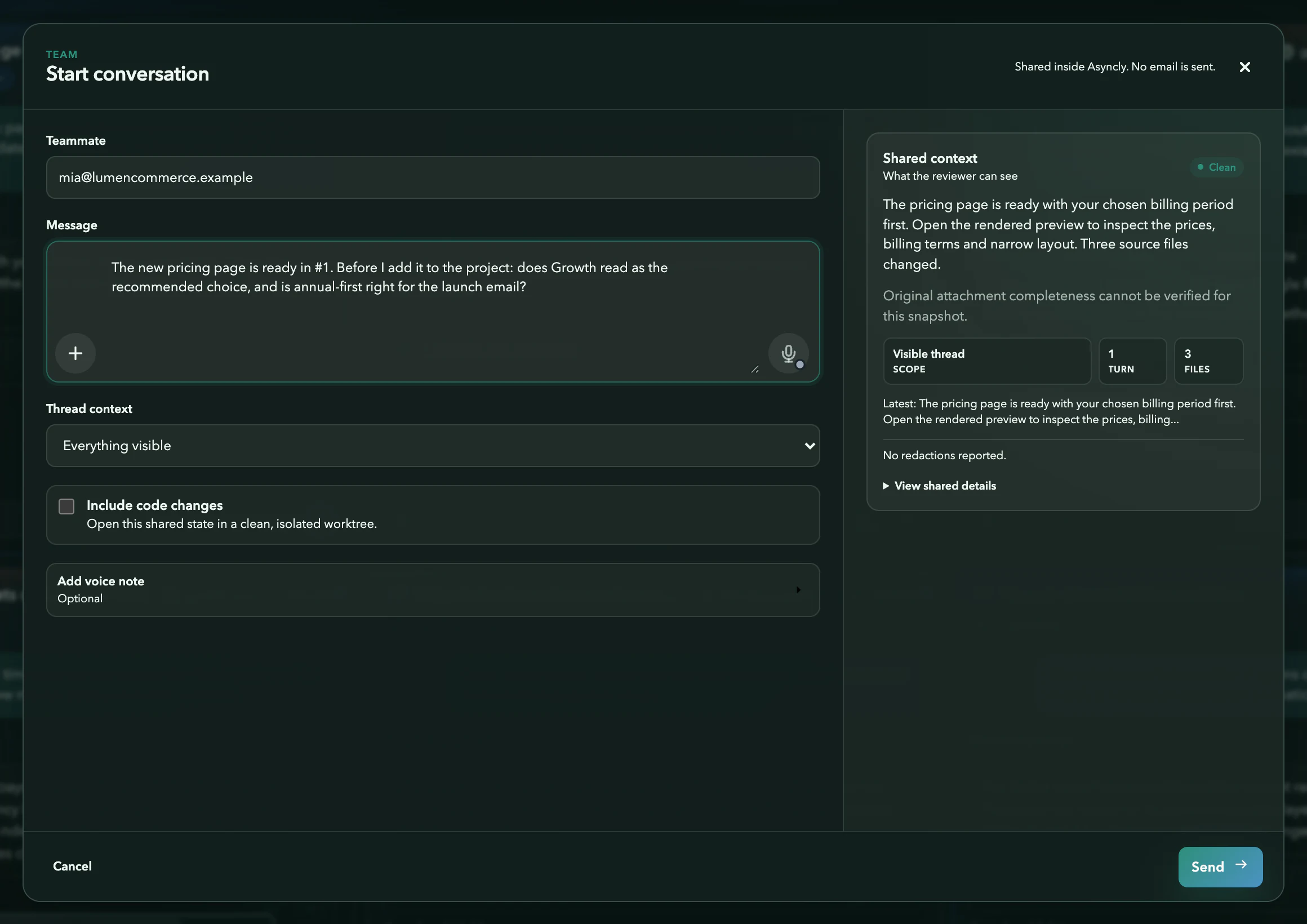
Share the thread
Illustration: The message, the amount of context to share, and a preview of the selected shared material.
- 2
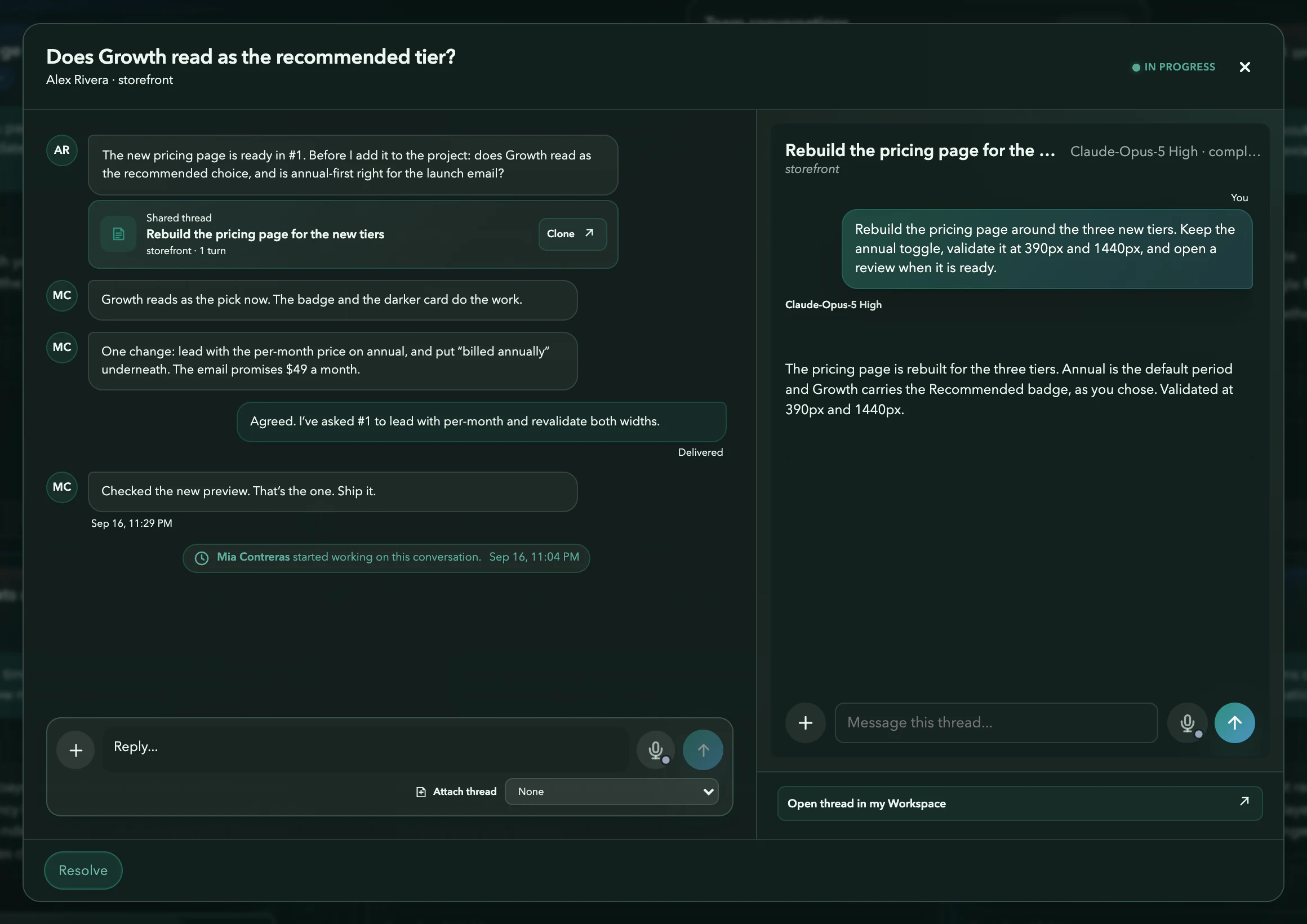
Decide beside the work
Illustration: Replies sit next to the shared thread, so the decision is made against what the agent actually did.
- 3
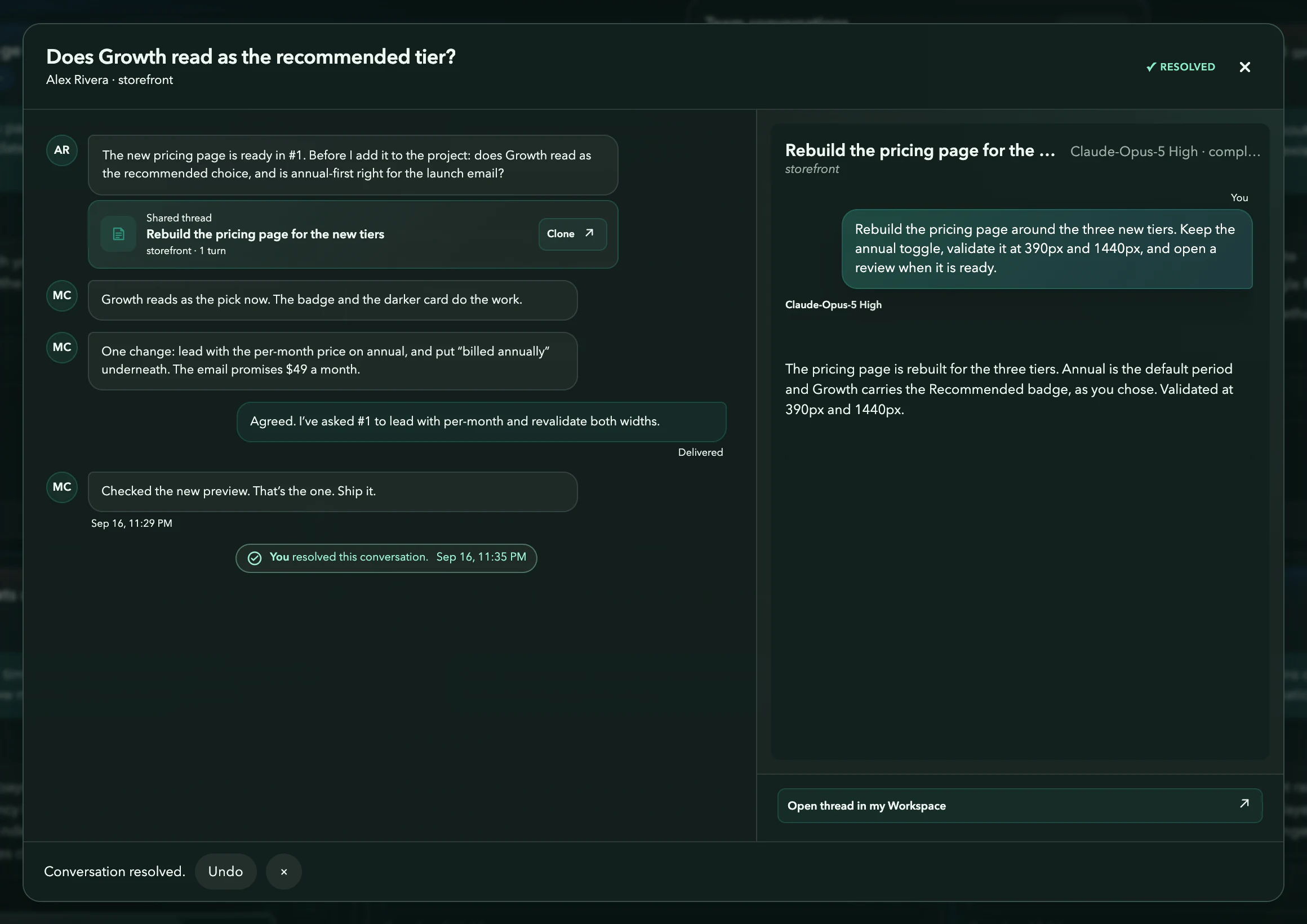
Resolved
Illustration: The conversation is marked resolved, with an undo if it was too early.
Requirements and limits
What you need
- Team private-preview access and a permitted recipient.
- Material you have authority to share and a specific review question.
- A check that the recipient received the evidence needed for the decision.
Worth knowing
- Team is in private preview. No general entitlement, seat allowance or cross-device result is established by these illustrations.
- Shared evidence is not necessarily a complete or live mirror of local history. Later turns and files may be absent.
- Workspace membership, Source access and execution permission are distinct.
- The page does not promise automatic redaction, cloning or successful two-account delivery.
Try it on your own work