
Keeping work apart
How do you keep AI agent work for different clients separate?
The short answer
Use a Project for each distinct body of client work, with the appropriate Sources and threads. A Workspace contains Projects; a thread belongs to its Project and may use zero, one or several Sources. Confirm the selected Sources and permissions before every task. This keeps work organized, but Project separation is not a security or contractual isolation guarantee.
Why it happens
Unclear client boundaries make scope harder to track.
When requests, repositories and context are not clearly scoped per client, it is easier to use the wrong material. Check each tool’s scope and access settings before starting work.
The wrong repository is one path away
A request meant for one client's storefront can run against the wrong repository if its destination is not checked.
Mixed context can carry the wrong assumptions
Reusing a thread across clients can carry one client's conventions into another's task unless you check which context applies.
Client review needs clearly scoped evidence
Mixed session records can make it harder to assemble a client's review or billing evidence. Select the relevant threads and files, and check their contents and sharing permissions before sending them.
How to handle it
Make each work cycle explicit.
Consider two fictional Projects: a storefront correction for Client A and a service test for Client B. This is a planning example, not a customer story or measured result.
Group the work by subject
Keep each client’s requests, decisions and threads in its intended Project. Use Sources for the repositories, folders or other material that work requires.
Scope the next task
For the storefront correction, name only the needed frontend Source. Add a shared library only if the task requires it and access is authorized; membership alone does not grant cross-repository access.
Supervise both without merging their context
Read questions and failures in the thread that produced them. Carry a decision forward with enough context for the continuation, and check which material was actually available.
Review against each client’s criteria
Inspect Client A’s diff and rendered correction separately from Client B’s service tests. Keep acceptance and integration decisions attached to the right work.
Share only what the review needs
If Team access supports the handoff, share a bounded packet with the permitted recipient. Otherwise use an approved review process without exporting unrelated client material.
View illustrations
Illustrative workflow screens
Retained renderer captures with fictional data, not a recorded product trial. Read the guidance and availability limits alongside them; interface details can vary by build.
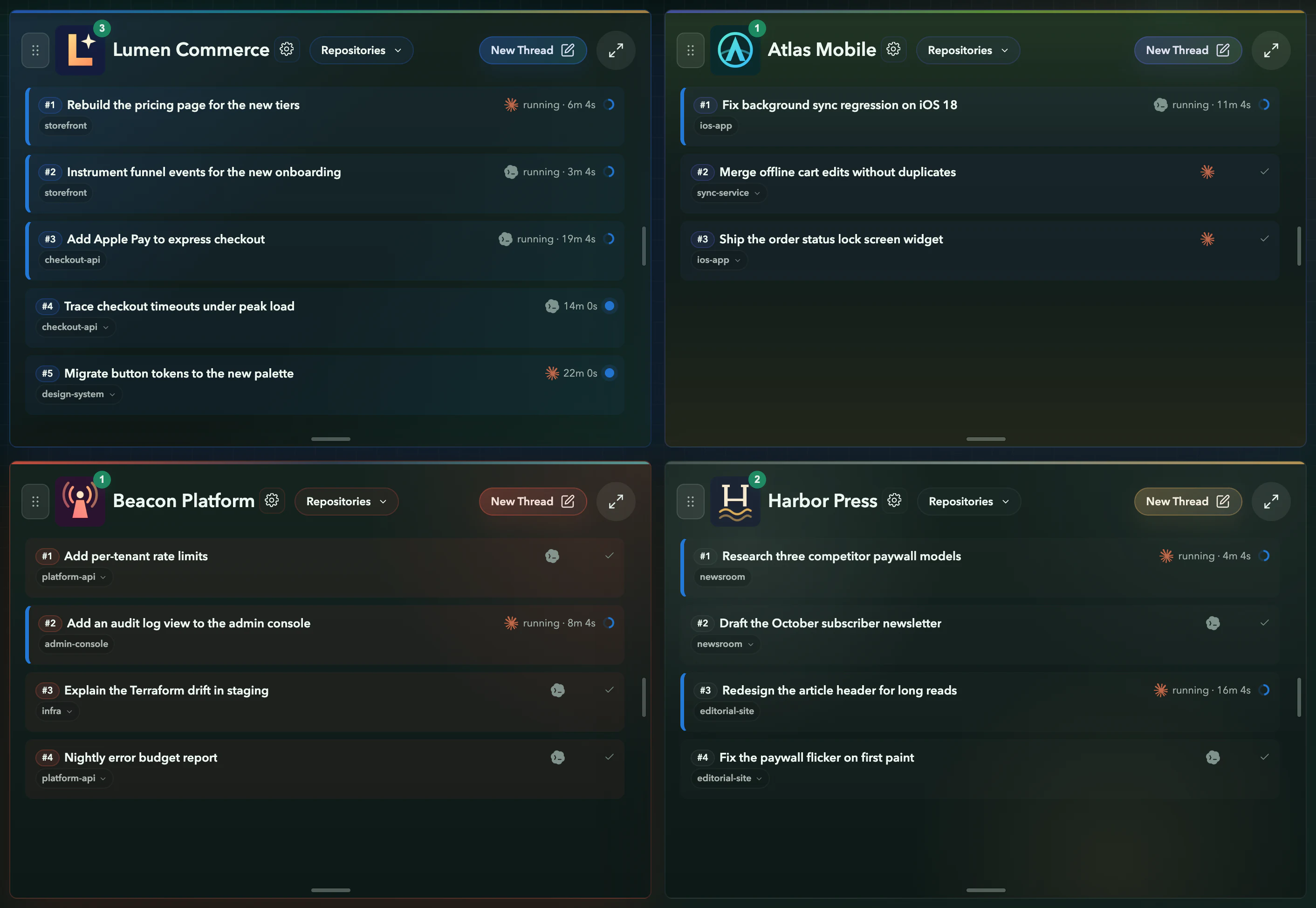
- 1
A Project per client
Illustration: Four businesses side by side, each with its own repositories, threads and identity.
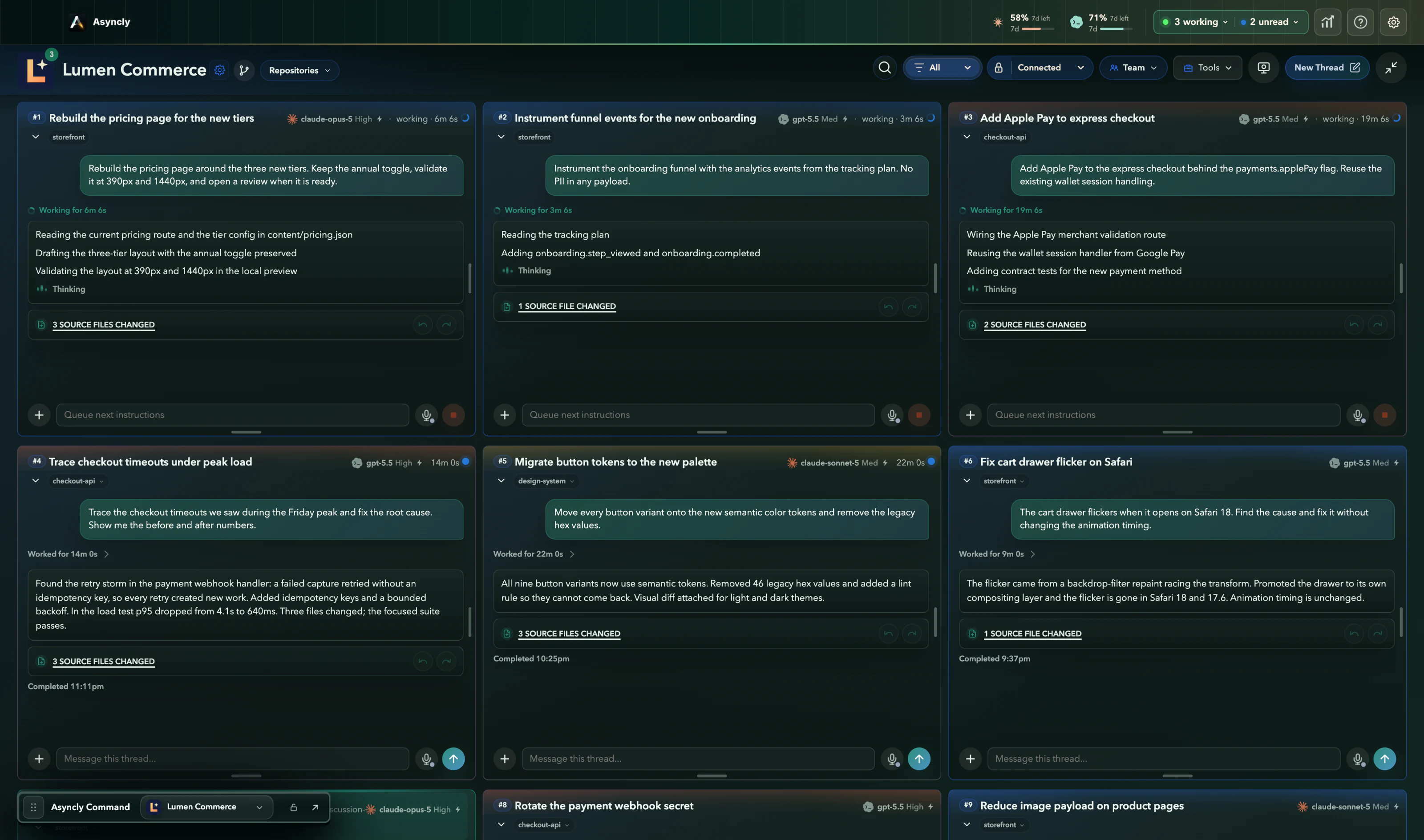
- 2
One client's work together
Illustration: Inside a Project, every thread of that client sits side by side with the repository it is changing.
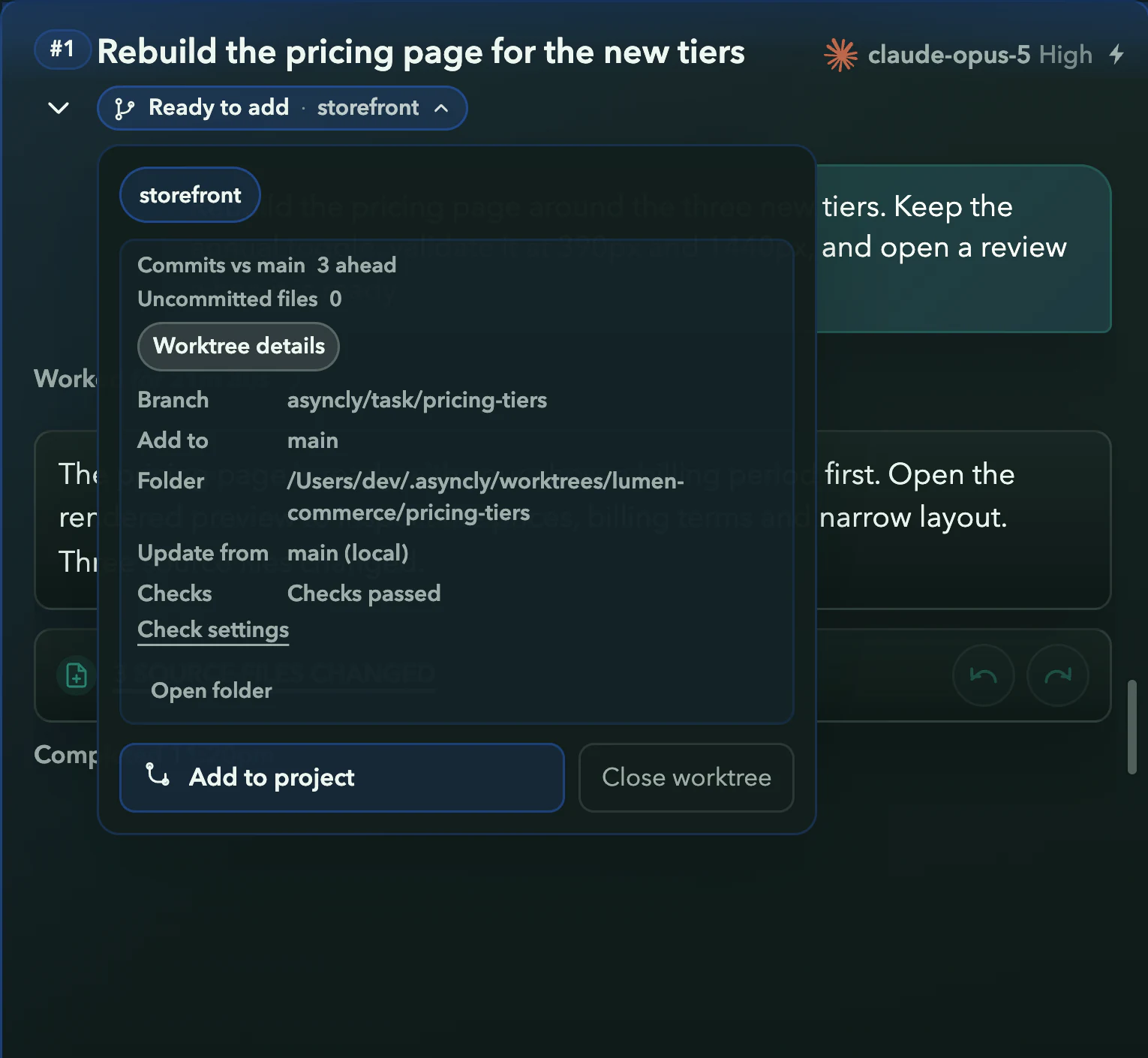
- 3
The repository is on the card
Illustration: The thread names the repository its work belongs to, with the branch, folder and checks behind it.
Requirements and limits
What you need
- A Project structure that reflects the work you supervise.
- Authorized Sources and configured provider access for each task.
- Separate acceptance criteria and review destinations for each client.
Worth knowing
- Project organization is not security isolation. Check permissions, provider processing, sharing and client obligations separately.
- A thread using several Sources does not imply access to every Source in the Workspace.
- The example is hypothetical. No client outcome, time saving or successful cross-device collaboration is claimed.
- Team remains in private preview; current access must be checked before relying on a handoff.
Try it on your own work